
Warranty claims management system
Collect product claims through a form and handle them in one dashboard. Keep fault descriptions, photos, statuses and customer messages with each request.
Collect product claims and customer messages in one dashboard. In RetJet, you can set separate rules for claims, tailor the form questions and keep a case history even when several people handle the same request.
The customer describes the fault and provides supporting material. Your team reviews the information, replies and makes a decision. Earlier messages stay with the request.
What claims management software does
A claims management system carries a case from the first defect report to the store’s response. It keeps the form, photos, problem description, status, deadlines and conversation together. A team member can see what the issue is and what has already been agreed.
Your store decides whether the claim is valid and how to resolve it. The software organizes the information needed for that decision. The legal basis may be statutory consumer rights or a commercial warranty, depending on the case.
The claims workflow
- The customer reports a problem. They identify the product, describe the fault and attach supporting material.
- The case reaches your team. It receives a number and status; a rule can assign it to a team member.
- A team member reviews the details. They read the description and attachments and ask follow-up questions within the request.
- The store decides and responds. Staff update the status and continue the conversation in the same case.
A form for the defect report
The customer identifies the order and product, describes the problem and attaches photos. You can set different requirements for claims and returns, including optional or required photos. The form can also collect the requested resolution, such as repair or replacement, and the product’s condition.
For selected products, add more specific questions. For a backpack, ask whether the zip, seam or buckle is damaged and when the problem appeared. Product-specific questions are not available for Allegro or the basic integration.
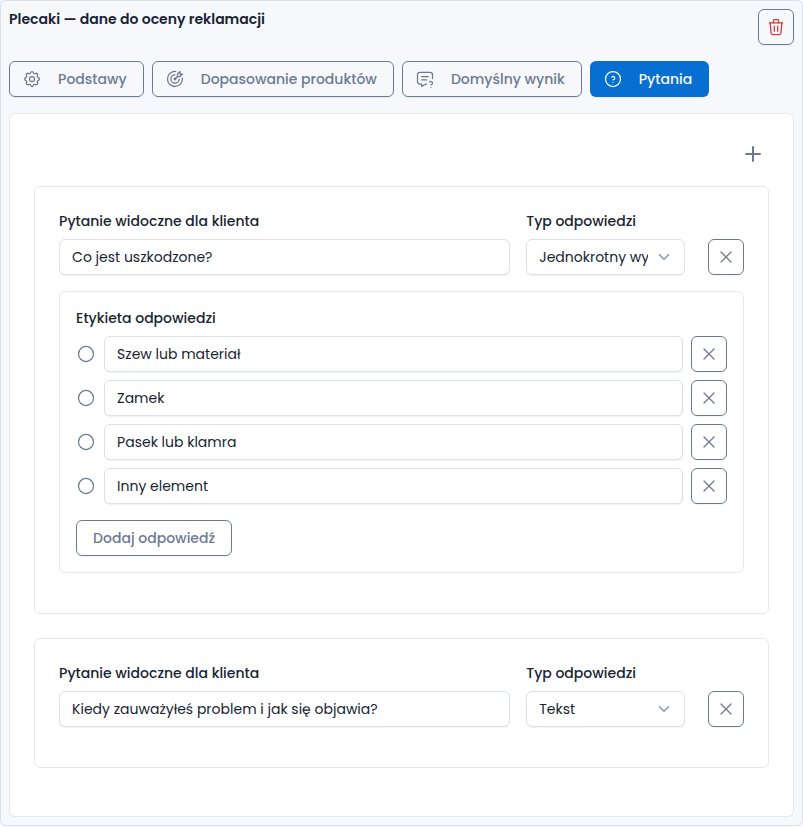
Example from the Polish interface: questions collect details relevant to the product being assessed.
See the return and claim form for publishing and configuration options.
Photos and video evidence
A photo can show a crack, damaged packaging or a missing part. Buyers can attach it in the form or later in a message. Staff see the images alongside the description and conversation.
AI-generated image detection
Customer images receive a percentage indicator estimating the likelihood that they were generated by AI. Staff can see it beside the attachment and use it as additional information during a manual review.
The indicator does not establish whether a photo is authentic or whether a claim is valid. It does not automatically reject a request.
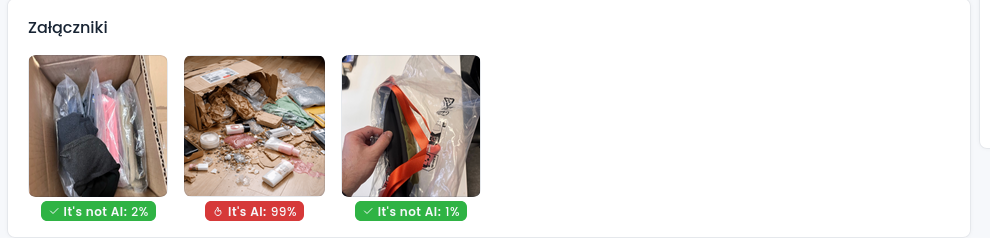
The detection result supports a staff review; it does not make the decision.
Record video from a phone camera
When a photo does not show the issue, such as a mechanism sticking, the customer can record a short video directly from their phone camera during the conversation. This recording option does not allow them to select an existing file from storage.
The video is attached to the case so the team can see the symptoms. It does not replace the store’s assessment of the product.
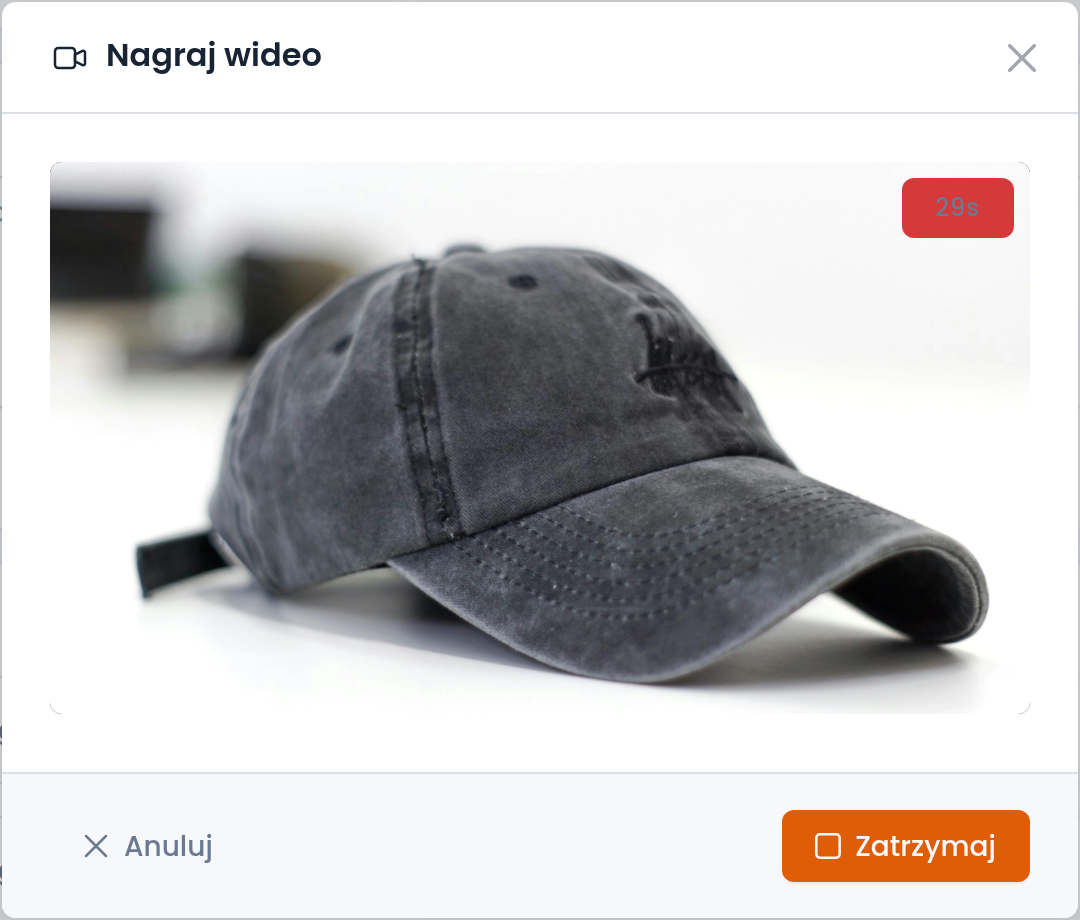
The customer demonstrates the problem while recording. The screenshot shows the Polish interface.
Statuses and case ownership
Each request has a number and status. Filter the list by request type, sales channel, status or date to separate claims from returns and find cases at a particular stage.
An automatic rule can assign a new request to a team member based on its type or channel. The team can see who is responsible for the case.
Communication and case history
Messages and attachments stay with the claim. Someone taking over can read earlier agreements and continue the conversation.
You can link statuses to email templates. Changing the status then sends the prepared message, while the customer can also check progress on their request page.
Submission and response deadlines
Set claim rules separately from return rules for each channel. Settings include the time available to submit a claim and the handling period. Choose values that fit the case, applicable law and any relevant warranty terms.
Do not confuse a response deadline with the time needed to complete a repair or replacement. For Polish consumer claims based on goods not conforming to the contract, the seller must respond within 14 days; repair or replacement must take place within a reasonable time. This is not a universal deadline for all countries or commercial warranties. A timer in the software does not replace a reply to the customer. See UOKiK’s guidance on non-conforming goods (in Polish).
Connected channels in one place
RetJet brings claims from connected channels into the shared dashboard, alongside returns as a separate request type. Check each integration for its scope.
Parcel tracking is covered by shipment monitoring. For change-of-mind returns, see the returns management system.
Which stores benefit
The tool is useful when several people handle cases, requests come from different channels or assessing a product requires photos and follow-up conversations. Electronics, equipment and household goods are common examples.
Check whether the workflow covers every stage your store needs. If you also need spare-parts records or repair estimates, discuss those requirements with us before setup.
Pricing and setup
RetJet is subscription-based, with a request allowance in each plan. See pricing for current limits and additional charges.
Create an account, connect a supported channel and publish the claim form. The basic integration is another option. The quick setup guide explains the available approaches.