
Identifying parcels by their label
Ever wonder whose parcel just arrived at your warehouse? RetJet reads the label number and matches it to the return and order automatically.
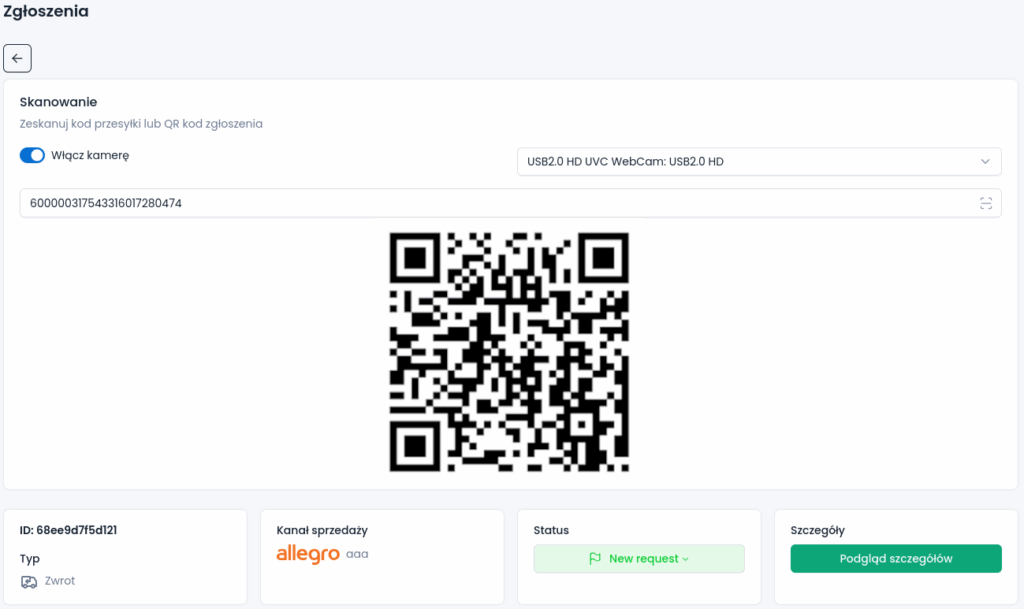
Find a request from the label
When a delivery arrives, you may not have the request number to hand. RetJet lets you search by the shipment label number or the request’s QR code. A warehouse worker uses a scanner or camera instead of typing the number and browsing the returns list.
The match shows which case the parcel belongs to. After opening it, compare the contents with the products declared by the customer.
Receive parcels in sequence
For a larger delivery, use batch mode to scan parcels one after another. The team keeps a record of who received the shipment and when. That helps answer a customer’s question about whether their parcel reached the store.
A scan records the receiving step, but it does not replace checking the contents. Confirm product quantities and condition after opening the parcel.
Parcels without a request
If there is no matching request, the parcel needs identification. Establish who sent it and which order it concerns. Reading a label alone does not confirm that you have found the right case.
The shipment list also lets you work with parcels that do not yet have a linked request. Identifying them remains part of the warehouse workflow.
Hand the case to the next person
After receiving the return, a team member checks the goods and passes the case on for settlement or claim review. Status names should reflect those separate stages so a received parcel is not mistaken for a completed case.
You can connect a request QR-code scan to an automatic rule that updates the status and assigns a team member. For example, the scan can pass a return to the person checking its contents. The actions depend on the conditions you configure.