
Returns and claims workflow automation
Set rules that assign requests to team members and update their status. RetJet carries out those actions when your chosen conditions are met.
Tasks you can automate
A new return needs an owner. A parcel arriving at the warehouse needs a status update. When your team repeats the same steps for every request, you can hand those steps over to rules in RetJet.
A rule defines when the system should act and what it should do. You select events and conditions, then add actions: change the request status, assign a team member or add someone as a watcher.
Events, conditions and actions
Rules can respond to a new request, a status change or a scan of the request’s QR code. Conditions such as the request type and sales channel narrow their scope. A return from your store can go to a different person than a claim from another channel.
Combine conditions with “and” or “or”. Use “and” when they must be met together, and “or” for alternatives. Before enabling a rule, check that its conditions select the requests you intend to handle.
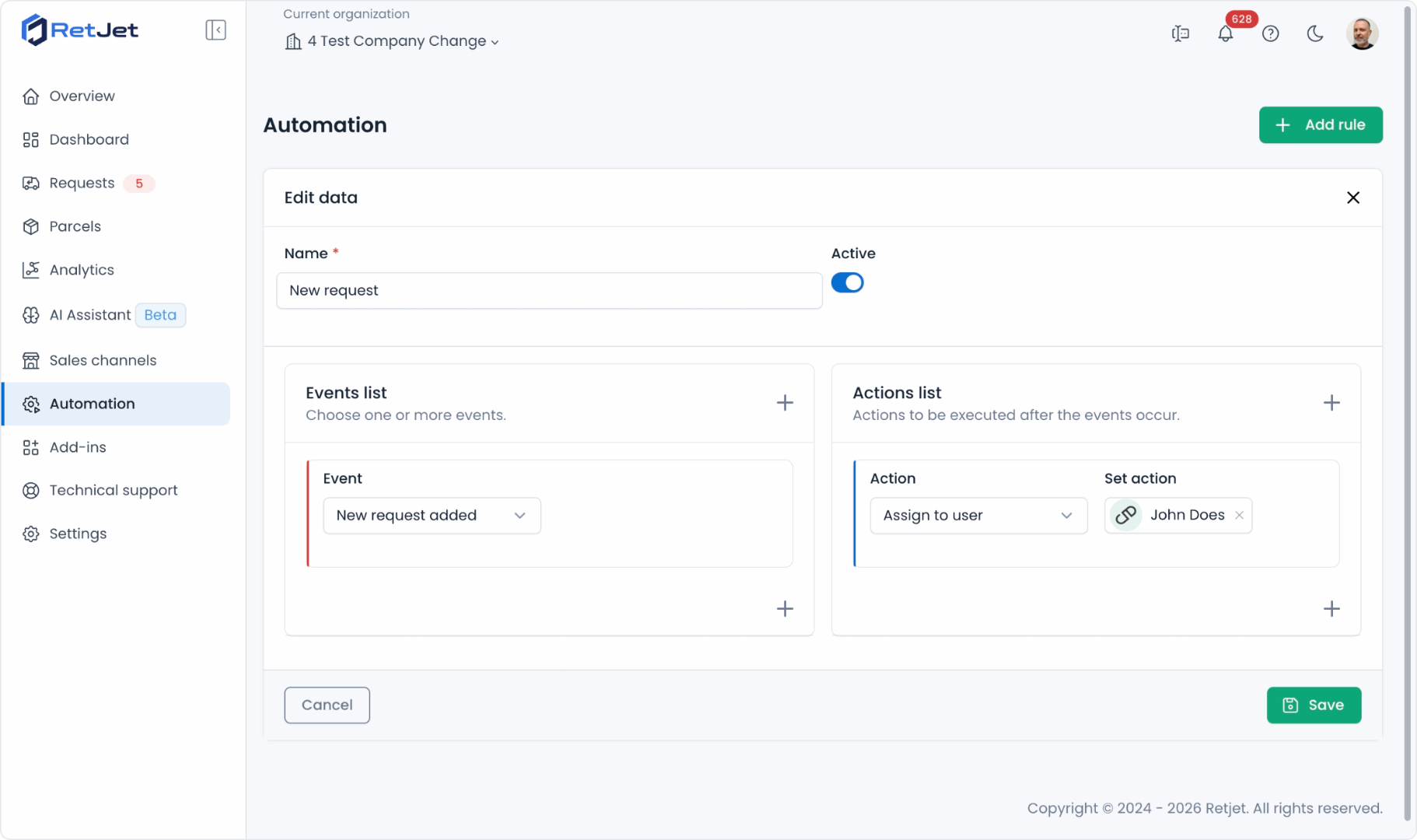
Events sit on the left and actions on the right. This example assigns new requests to a selected team member.
Example: receiving a parcel
Suppose a warehouse worker scans the QR code of a return request. You create a rule for that event and limit it to returns. Its actions change the status to your receiving stage and assign the case to the person checking the goods.
RetJet carries out those actions after the scan. The worker still opens the parcel, checks the products and records the findings. The rule handles the handover; the team inspects the goods.
See label-based parcel identification for the receiving process itself.
Example: assigning new requests
One team member handles returns and another handles claims. Create a separate rule for each request type. Each rule responds to a new request and assigns it to the right person.
If responsibilities also depend on the store or seller account, add a sales-channel condition. The request then reaches its owner without someone assigning it manually from the list.
Start with one task
Choose a repetitive task and decide what the rule should achieve. Set up the required statuses and team accounts, then check the rule with a test request. Include a request that should not meet the conditions.
Workflow rules handle cases in the dashboard. To change questions or submission rules for selected SKU or EAN codes, use product-specific return rules.