
Requesting and sending returns without printing
The customer submits a return and gets a shipping code or label, then drops the parcel at a pickup point, with a courier or at a locker. No printer needed.
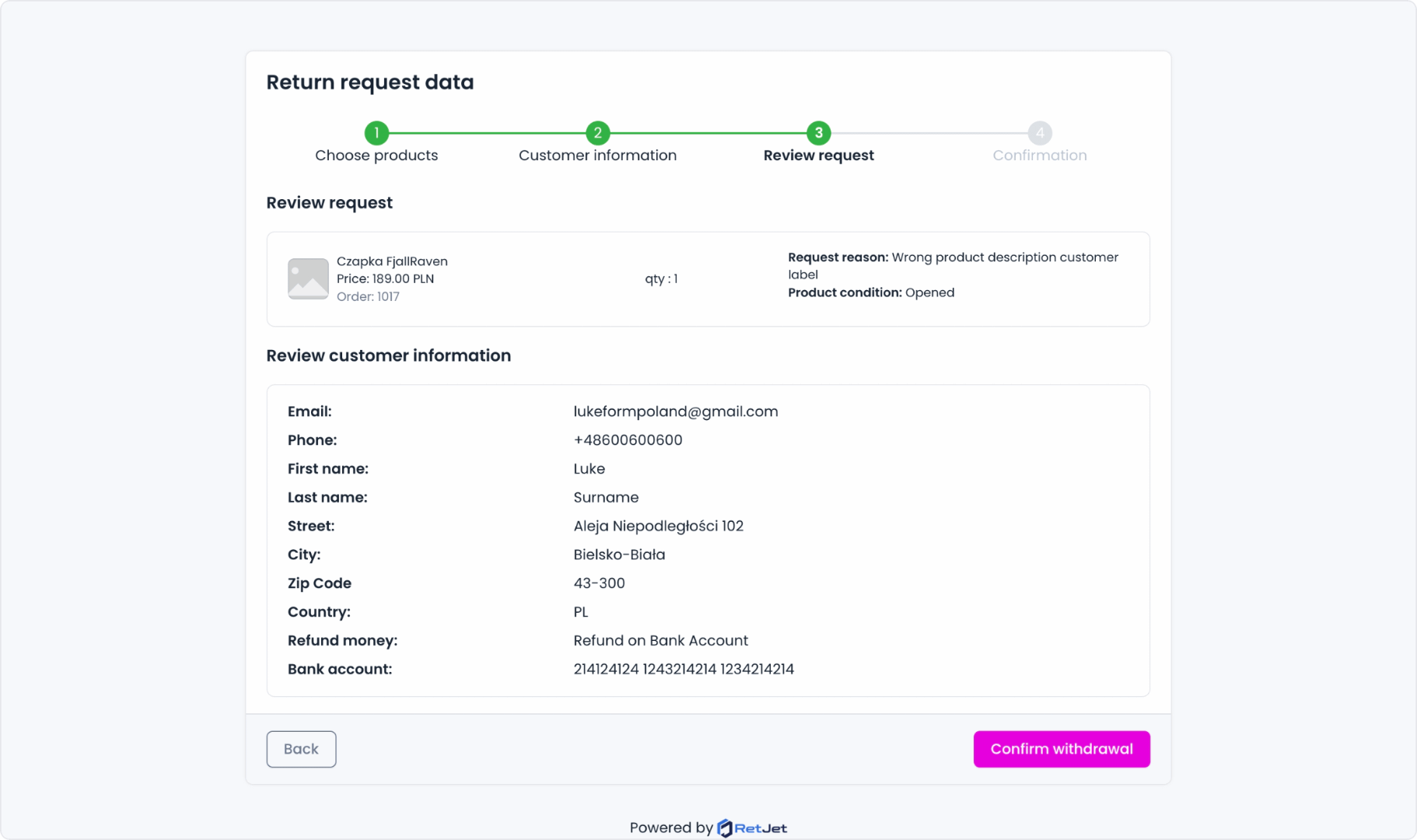
The whole return process happens digitally. The customer fills in a short form on the store’s own domain (no login), picks products and a resolution from a list you set up yourself. The system immediately provides a shipping code or a label. The parcel can be dropped off at a pickup point, with a courier, or at a parcel locker, no printer and no paper forms.
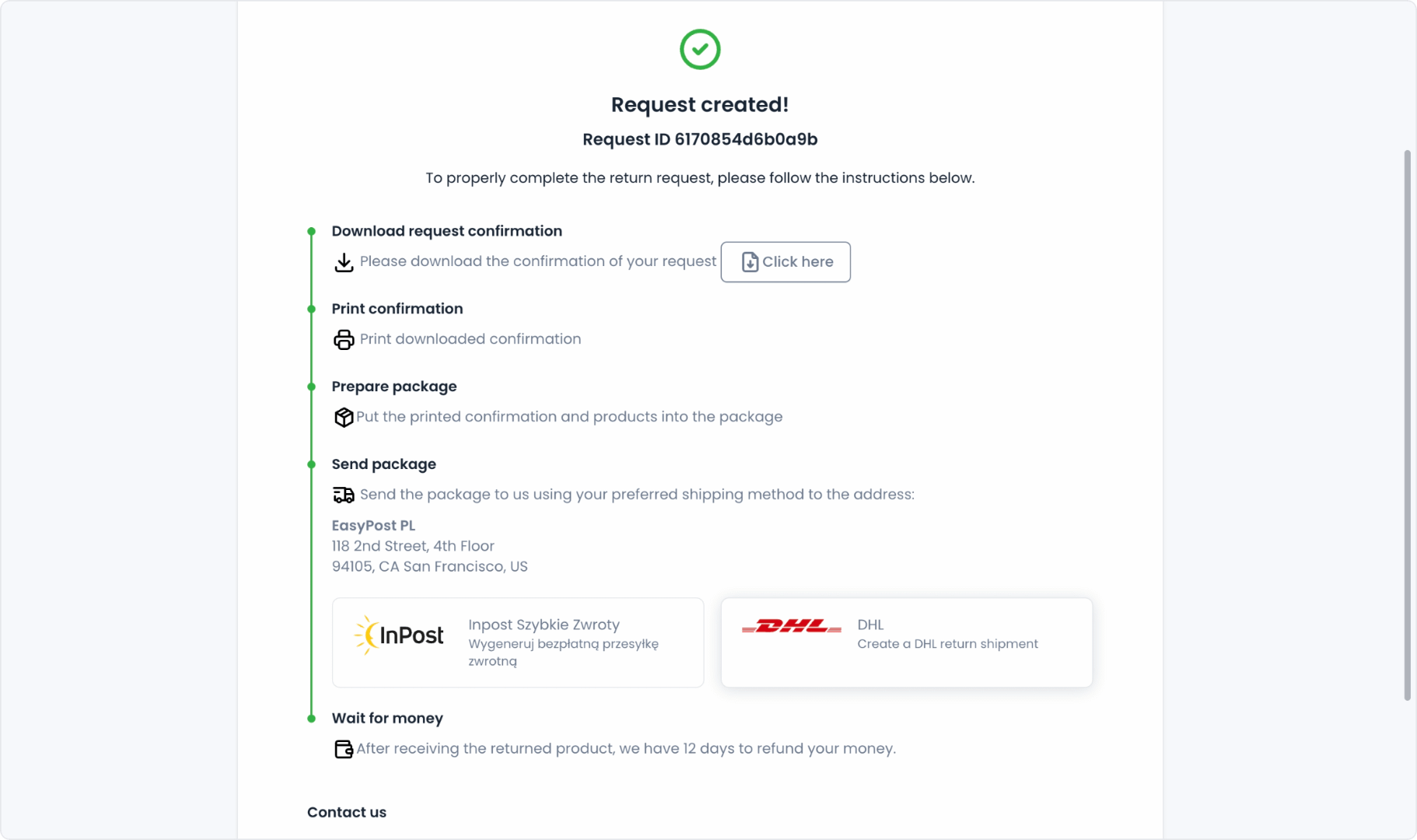
How it works
- The form matches the request to the order using the order number and email address.
- Once products and a resolution are chosen, the system generates a shipping code or a label.
- The customer gets a status link and the request details by email, so there’s nothing to ask support about.
- Once shipped, the parcel appears in monitoring, and later in receiving.
The shipping method the customer sees depends on the carriers you connect. With InPost Szybkie Zwroty the customer gets a code and sends the parcel from a parcel locker. With Wygodne Zwroty they get a code to show at a pickup point. With DHL you choose whether the customer gets a PDF label or a QR code shown at drop-off. In each case the shipment number is saved on the request at the moment it is created.
Who it helps most
A printer is the most common reason a return gets put off. Many customers shop on their phone and do not have a printer at home, so a label sent as a PDF means a trip somewhere to print it. A code shown on the phone removes that step.
It matters most for stores with many returns, for example in fashion, where the customer often sends something back within days of delivery. The sooner the parcel leaves, the sooner the product is back in stock.
What the store gains
- Fewer questions to support. The customer has the code, the status link and the instructions in one email.
- No anonymous parcels. The request and the shipment are linked from the start, so the warehouse knows what is inside before opening the box.
- Earlier visibility. You see returns on their way in the shipment list, before they reach the warehouse.
- One process for every channel. Returns from your store and from marketplaces use the same form and the same shipping options.
Example
The customer opens the return form on their phone, enters the order number and email, picks one item and chooses a parcel locker. The code arrives in the confirmation email. At the locker they scan it and leave the parcel. In the dashboard, the request and its linked shipment are visible right away, and the parcel moves through the statuses until delivery.
What’s next
When the parcel reaches the warehouse, scanning its label opens the right request. See label-based parcel identification. To follow parcels on their way back, see shipment monitoring.