
How to connect Shoper
Set up the Shoper integration with RetJet step by step. Covers creating an API key and granting read-only permissions.
Shoper authorizes integrations with a login and password for a separate API account, not a key. Create one just for RetJet and grant it read-only permissions, so you can revoke access with one click without touching your own account.
Generate API access in Shoper
- Log in to the Shoper admin panel.
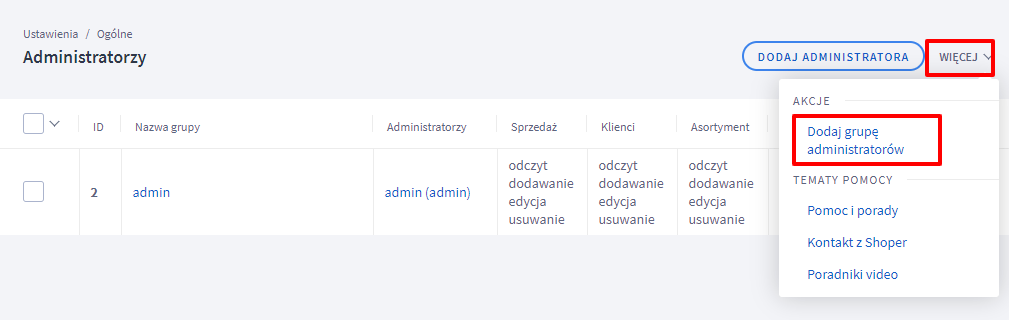
- Go to ‘Settings > General > Store administrators’.
- Click ‘add administrator group’.
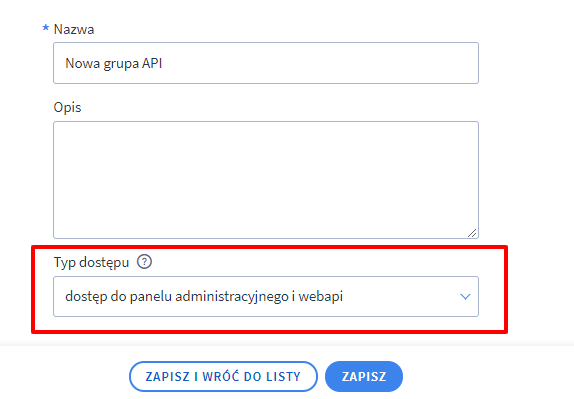
 4. Name the group, choose the access type ‘access to the admin panel and webapi’, then save the changes.
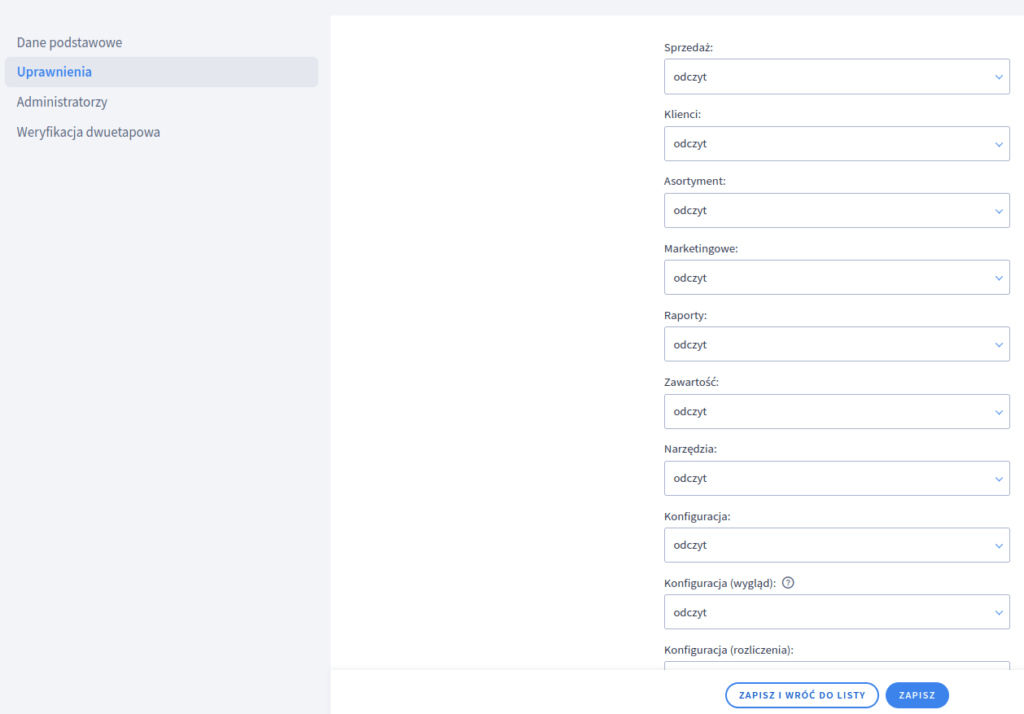
 5. Go to the ‘Permissions’ tab and set access (read for every resource).
 6. On the Administrators tab, add an administrator that will connect through the API.

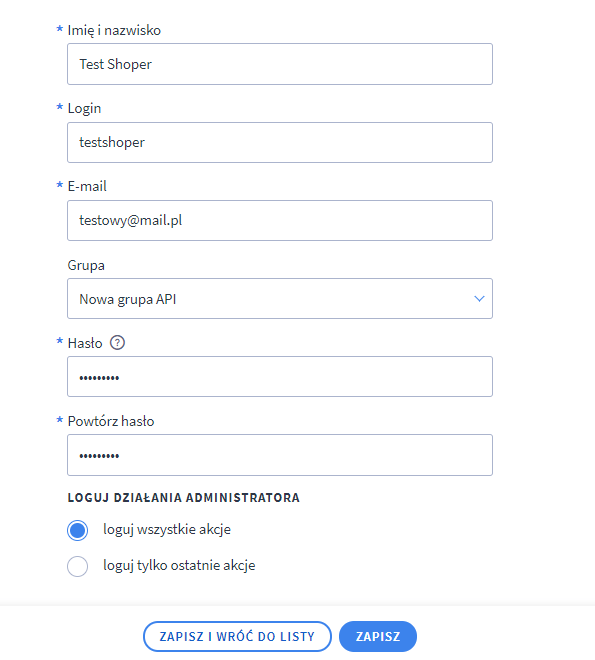 7. The login and password you entered will serve as the WEBAPI credentials for RetJet.
Don’t have a RetJet account yet? Create a free account.