

Allegro returns management and refunds
Handle Allegro returns in RetJet: refund selected items and quantities, include delivery costs and submit a separate commission refund request.
Allegro returns in your store dashboard
RetJet imports returns submitted by buyers directly on Allegro. Handle them alongside requests from your online store, check the products and prepare the refund. If you sell through several Allegro accounts, connect each as a separate sales channel.
Buyers can also use the RetJet form. It distinguishes purchases from your store and from Allegro so it can look up the right order.
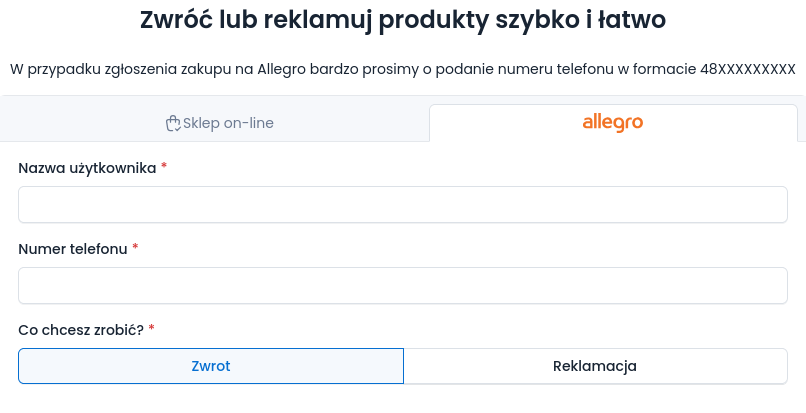
The Polish-language form for an Allegro purchase. Requests from the form and returns imported from Allegro are handled in RetJet.
Issue a refund from the request
After checking the goods, confirm the quantities and amounts to refund. Then submit the payment refund through the Allegro integration without re-entering the settlement in another dashboard.
Confirming an amount and submitting a payment refund are separate steps. Saving the settlement does not send money. To submit the refund, RetJet uses the connection between the products, Allegro order and payment.
Partial refunds
A return does not have to cover the whole order. RetJet lets you settle the items and quantities included in the request. You can also specify a refund amount for an individual line item.
| Situation | What you settle |
|---|---|
| The buyer returns one of several different products | The returned line item |
| The buyer returns one of two units of a product | The confirmed quantity |
| The agreed refund differs from the item’s full value | The amount entered for that line item |
Example: a buyer orders two T-shirts and a backpack but returns one T-shirt. You confirm one unit for settlement. The payment refund covers that item and quantity, rather than the whole order.
If the settlement requires a different amount for a product, record it against that item. Check the total and the reason for the adjustment before submitting the refund.
Include the delivery cost
Delivery has a separate field in the settlement. When you include it in the refund, RetJet sends the confirmed delivery amount to Allegro together with the product settlement.
For a partial return, review both the items and the delivery amount. Selecting a product alone does not describe the full amount you intend to refund.
Request a commission refund
You can separately submit an Allegro commission refund request, also called a transaction rebate, from the case. The request refers to order line items and confirmed product quantities.
A payment refund goes to the buyer. A commission refund concerns the seller’s fees with Allegro. These are separate operations. Submitting a request through RetJet does not guarantee that a rebate will be granted; Allegro assesses it under its own rules.
Check the settlement before submitting
The request must be linked to an Allegro order and payment. Items included in one refund submission must come from one order and one payment. A manually entered product without that connection is not enough to issue a refund through the integration.
Review quantities, item amounts and delivery costs before submitting. Treat the payment refund and the commission refund request as separate decisions. For the wider workflow, from the customer’s request to receiving the parcel, see the returns management system.